When does public watch hours refresh?
- 20 Oct, 2025
Your public watch hours for monetization are typically updated around midnight PST, but the exact time can vary depending on your location. There’s an expected 2-3 day delay for the final figures to show up. This delay can be slightly longer for newer channels.
–––
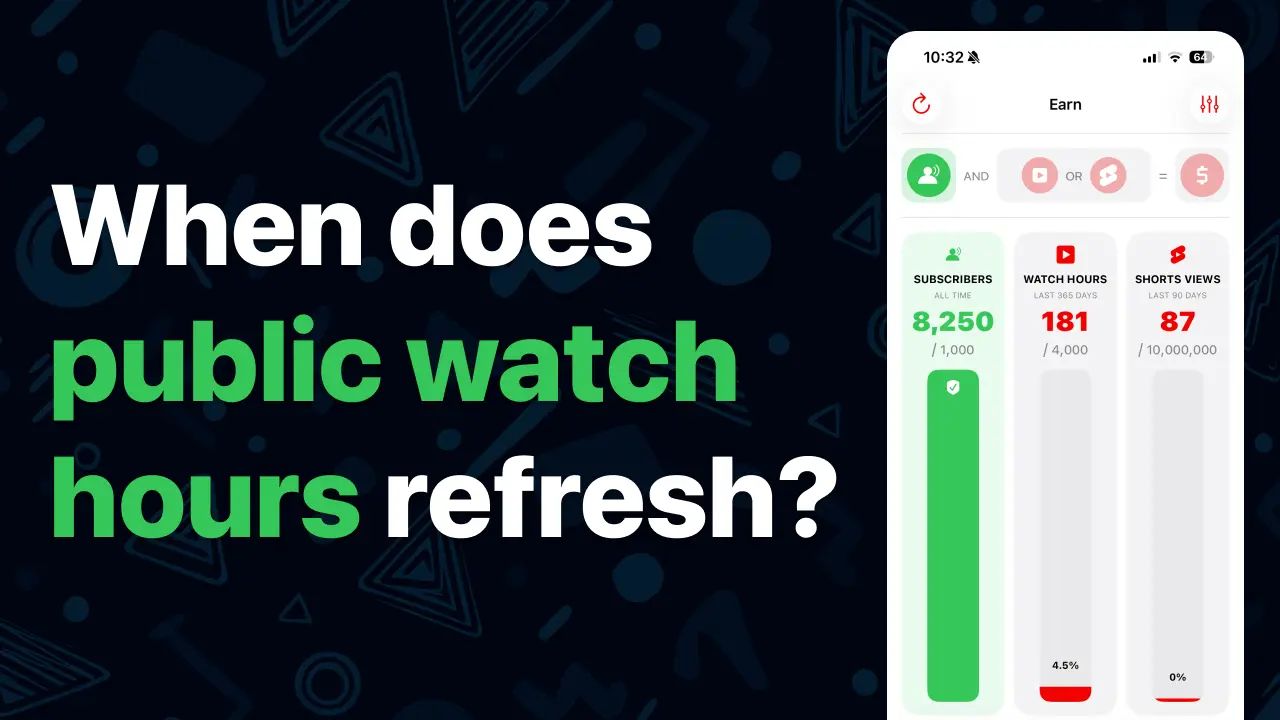
It is a common source of confusion for new creators, but the public watch hours displayed in the monetization section, which you can monitor using the Creatipi App (available on the AppStore) are not updated in real-time.
It’s a widely debated topic and you’ll find many conversations about the delays and discrepancies on platforms like Reddit and the official Google Help Forum.
The official information from YouTube themselves can be found here though many report that YouTube could be more transparent and clear about the way they calculate public watch hours, and the refresh frequency for the monetization metrics.
The only information you need to understand your Public Watch Hours.
Analytics Data vs. Earn Data
Do not compare the general Watch Time data in your main analytics reports with the “Earn” tab (for the monetization tracking) data. The “Earn” tab specifically filters for valid public watch hours that count toward the YouTube Partner Program (YPP) threshold, while the general analytics shows a broader, less-filtered total.
The 2-3 Day Delay is Normal
There is an expected delay of approximately 2 to 3 days on the public watch hours data. This is normal, as YouTube uses this time to verify views, remove spam/invalid activity, and finalize the data before publishing the count for YPP eligibility.
The 365-Day Rolling Period
The required 4,000 public watch hours are computed on a 365-day rolling period. This means every day, the watch hours earned exactly one year ago drop off, and the watch hours earned today are added. You must maintain 4,000 hours within the most recent 365 days.
Let’s address the number 1 misunderstanding I’ve seen over and over again in the last 8 years of helping YouTubers reach monetization.
Does that mean I have 1 year to reach 4,000 hours or I have to start over?
Not at all. YouTube simply counts the public watch hours you accumulated over the last 365 days. You never start over unless you really get no watch time at all for 365 days straight. In that case, your total watch hours (over the last 365 days) would effectively be 0. But it’s very unlikely if you’re active and keep posting better and better videos.
What Counts Towards Public Watch Hours:
YouTube often refers to ‘valid public watch hours’, meaning some of the watch time you’re getting on your videos is considered invalid in the context of reaching YouTube monetization. It’s explained in the fine-prints of the YPP FAQ on YouTube’s support page.
Valid watch hours:
Valid watch hours gained from long-form videos you’ve set public.
Invalid watch hours:
Watch hours gained through the following types of video:
• Private videos
• Unlisted videos
• Deleted videos
• Ad campaigns
• YouTube Shorts
• Livestreams that are unlisted, deleted, or not converted to VOD (video on demand)
• Watch time generated by you watching your own videos
Another important point to keep in mind.
Do I really lose the watch hours of videos I deleted from my channel?
Yes. It may take a few days to reflect in your monetization tracker both on YouTube Studio & on Creatipi. But eventually, the valid watch time accumulated on videos that you have deleted will be wiped from your total public watch hours counting towards the 4,000 hours.
What happens once I reach the subscriber goal & watch time goal?
Reaching the goals is just step 1. YouTube will then conduct a review of your channel and email you if your content is eligible for monetization. The review can take up to a month and delays are possible, so patience is key.
The key takeaway is patience. Trust the process, understand the rolling 365-day rule, and remember that YouTube’s official policy details the full requirements.
The best way to track your progress toward monetization isn’t by watching a number bounce around on a web page, but by looking at actionable data—which is why the best way to track your progress towards monetization is with Creatipi on iOS.
Find more on our YouTube channel.

Ed (Creator of Creatipi)
YouTuber since 2018 • Built Creatipi to help creators track growth, beat algorithms, and earn more.
Pro tip: I use Creatipi daily to grow my own channel. These strategies? Tested on real videos — not theory.