YouTube Title A/B Testing Is Here: Make Every Experiment Count
- 09 Dec, 2025
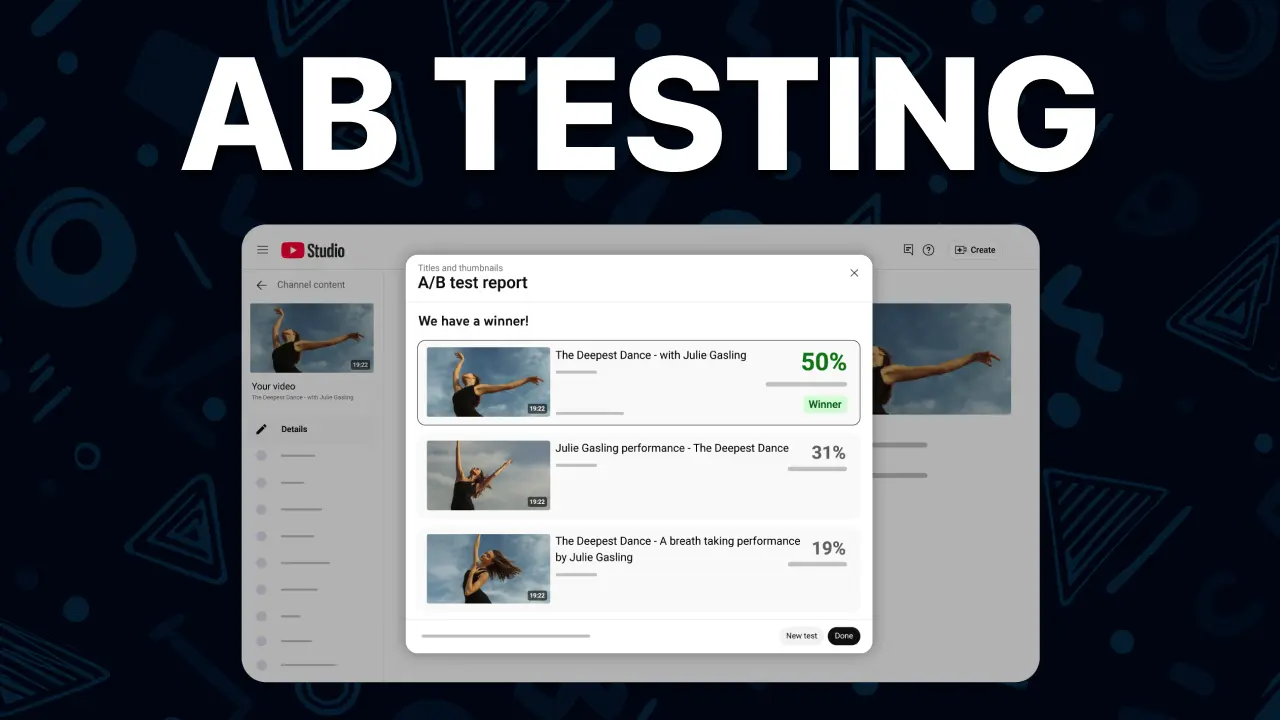
YouTube just confirmed in its official Community update that title A/B testing is rolling out alongside thumbnail tests. That means creators with Advanced features can now trial up to three title, thumbnail, or combined options directly inside YouTube Studio, and let the system apply the winner automatically.
If you already obsess over thumbnails, this is your moment to obsess over words too. A few characters can change watch time, and now we finally get the data to prove it.
A quick recap of YouTube’s new Title Test & Compare
The announcement from Natasha on TeamYouTube highlights several key rules:
- Up to three title or title + thumbnail combinations per test on long-form videos, live archives, or podcast episodes.
- Experiments run up to two weeks and distribute impressions evenly across each option until there’s statistical significance.
- Watch time per impression decides the winner, not CTR. YouTube cares about satisfied viewers, so deeper engagement beats impulsive clicks.
- Result labels include “Winner,” “Performed Same,” or “Inconclusive.” If there’s no clear leader, the first option you uploaded remains live, but you can always override it manually.
Eligibility checklist (straight from the announcement)
Make sure you meet every requirement before planning experiments:
- You need Advanced features enabled on your channel.
- Testing lives in YouTube Studio on desktop only for now.
- Experiments support public long-form uploads, live replays saved as videos, and podcast episodes.
- You cannot test Kids content, age-restricted uploads, mature-only content, or private videos.
- The feature is still rolling out, so if you do not see “Test & Compare” yet, keep an eye on your Studio dashboard.
Why watch time beats CTR for experiments
YouTube explained in the same article that title experiments prioritize watch time to ensure viewers end up on the right video. CTR alone can be gamed with clickbait, but watch time per impression rewards titles that set the right expectation and keep people watching. That metric should also guide how you judge Creatipi generations: favor titles that promise a clear payoff, not just curiosity for curiosity’s sake.
Your experiments live or die on title quality
Every part of YouTube’s guidance screams one thing—test meaningfully different creative directions. That means:
- Vary emotion: curiosity vs. urgency vs. aspiration.
- Shift structure: question, bold claim, list, command.
- Highlight different search triggers: the result, the process, or the cost.
If your three options are basically the same, you’ll keep seeing “Performed Same” in Studio. The best workaround is to start with radically different title directions, then iterate from the winner.
Creatipi’s AI Title Generator is the fastest way to feed tests
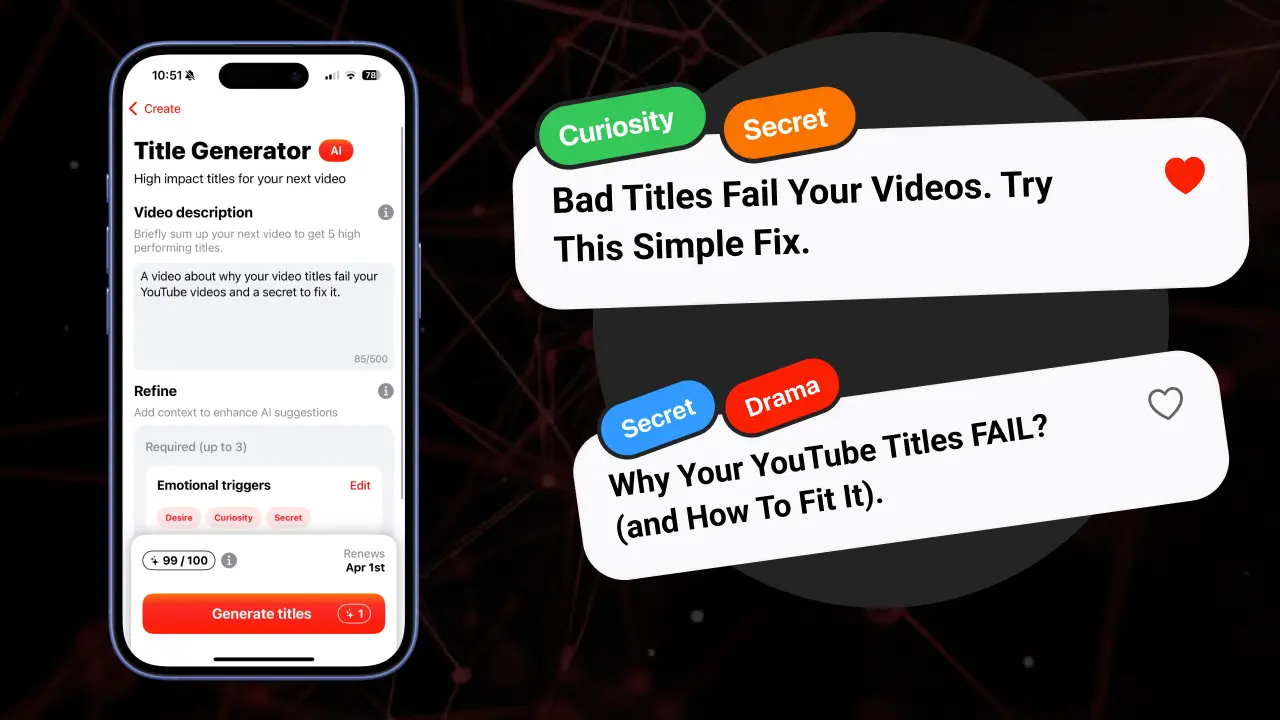
The single best way to come up with high-performing YouTube titles to A/B test is to use Creatipi’s AI Title Generator. It’s trained on thousands of outlier titles across niches, so every batch you generate leans on real data, not vibes. Describe your video once, pick the emotional triggers you want (curiosity, success, controversy, fear of missing out, etc.), and Creatipi instantly drafts five options that are ready for YouTube’s Test & Compare.
Because Creatipi stores your past generations, you can:
- Save unique angles for future experiments.
- Tag which option won so you build a private swipe file of battle-tested copy.
- Share results with collaborators without screenshots.
Download Creatipi on the App Store
Most creators burn hours staring at a blank cursor; Creatipi gives you a ranked list of bangers in seconds so you can focus on editing and publishing.
A repeatable workflow to run winning tests
- Plan the video outcome: Clarify the transformation or insight your video delivers. This keeps all your title ideas aligned with the viewer payoff.
- Generate 5-10 strong options inside Creatipi: Use different emotional triggers for each set so you’re not testing minor tweaks.
- Pick the top three that best represent a unique strategy (e.g., data-backed, curiosity gap, or benefit-first) and paste them into YouTube Studio’s Test & Compare.
- Let the test run the full window whenever possible. Watch time takes time to normalize, especially on smaller channels.
- Log the winning hook back in Creatipi: Tag the emotion + format so you know what to double down on next time.
Pro tips pulled from the announcement
- Expect inconclusive tests on new channels. Keep publishing and testing; volume helps YouTube reach statistical confidence faster.
- Bigger swings win faster. YouTube literally suggests “significant creative differences,” so do not be afraid to test a riskier framing against your safe option.
- Manual override stays in your control. Even after a test picks a winner, you can force any title live if it better supports your broader strategy.
Ready to A/B test smarter titles?
Open YouTube Studio on desktop, enable Test & Compare, and then let Creatipi’s AI Title Generator handle the ideation. It’s the most efficient way to build three wildly different, data-backed titles that deserve an experiment. Once you start logging wins, you’ll have a personalized vault of proven hooks that keep viewers watching longer—and that’s exactly what YouTube optimizes for now.

Ed (Creator of Creatipi)
YouTuber since 2018 • Built Creatipi to help creators track growth, beat algorithms, and earn more.
Pro tip: I use Creatipi daily to grow my own channel. These strategies? Tested on real videos — not theory.